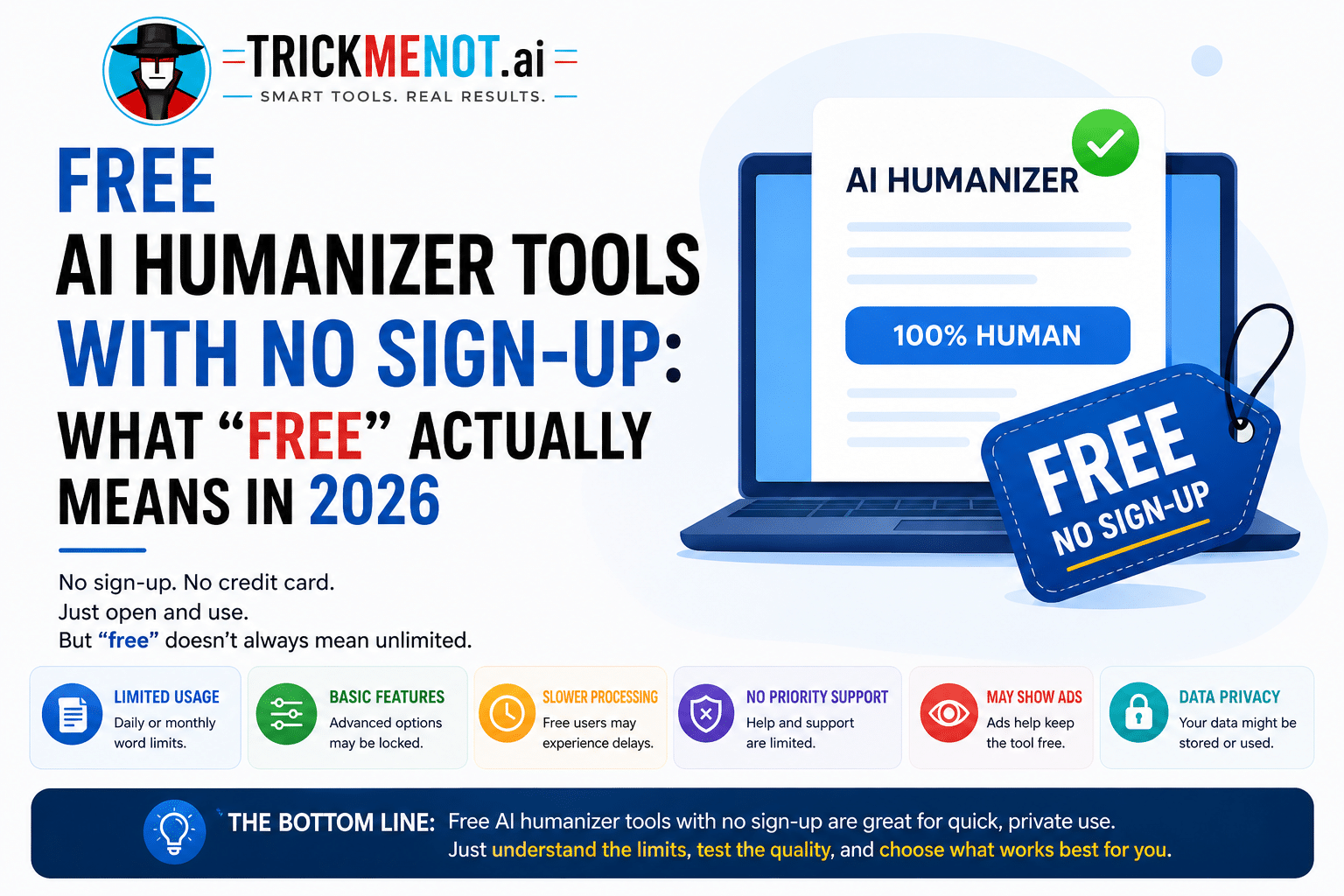
Free AI Humanizer Tools With No Sign-Up: What “Free” Actually Means in 2026 

Published:

Updated:

Author:

Free AI Humanizer Tools With No Sign-Up: What "Free" Actually Means in 2026 If you've searched for a free AI humanizer recently, you've probably run into the same wall over and over: the tool looks free until you actually try to use it, and suddenly there's an email gate, a "create an account to continue," or a card required "just to verify you're human" (the irony isn't lost on anyone). In 2026, that friction is still the single biggest complaint people have with this category of tool. This post walks through what genuinely free, no-sign-up humanizing looks like, what "free" doesn't automatically guarantee, and a safer way to actually use these tools without quietly wrecking your facts or citations in the process. What "No Sign-Up" Actually Means A genuinely no-sign-up tool means you can paste text and get a rewrite back without creating an account or handing over an email address. That's it, that's the whole promise. It does not automatically mean the site collects zero data, or that a rewritten paragraph is guaranteed to pass every AI detector. Detection systems, including Turnitin's own AI-writing indicator, are probabilistic, they estimate likelihood, not certainty and thresholds get adjusted periodically. Any tool claiming a guaranteed, permanent bypass is promising something the underlying technology genuinely can't deliver. Trickmenot's free AI text humanizer works the way "no sign-up" should: paste your text, get a rewrite, no account required. What it won't do and what no honest tool will claim is guarantee a specific detection score. What it can do is meaningfully reduce the repetitive, mechanical phrasing that makes AI-written text easy to spot in the first place. The Real Risk Isn't Detection - It's Meaning Drift Most people judge a humanizer by one question: did the AI score go down? That's the wrong primary question. The better one is: did the rewritten text still say what you meant? Aggressive rewriting can quietly distort a sentence's actual claim, especially with numbers, proper nouns, or specific terminology. A humanizer optimizing hard for "sounding different" doesn't inherently care whether "increased by 12%" turns into "grew moderately" along the way. A simple habit fixes most of this: before you paste anything in, jot down the details that absolutely cannot change names, dates, statistics, citations, and any specific terminology tied to your assignment or topic. After the rewrite, check that each one survived intact. It takes thirty seconds and catches the errors that actually cost points or credibility. A Safer Way to Use These Tools Work in sections, not the whole document at once. Rewriting an entire essay in one pass tends to introduce repeated phrasing and inconsistent tone across paragraphs. Humanizing one section at a time, an intro, then a body paragraph, then a conclusion and reading each one aloud afterward catches awkward transitions before they stack up. Run a one-sentence meaning check. Summarize your original paragraph in one sentence, then summarize the rewritten version the same way. If the two summaries don't match, something drifted during the rewrite and it's worth revisiting. Add something only you would know. A specific detail, personal observation, or example tied to your actual assignment does more to make writing sound genuinely yours than any tool-level setting. This is also the step most people skip when they're in a hurry and it's usually the one that matters most. Keep your drafts. If this is academic work, the strongest protection isn't "undetectable text", it's being able to show your process. Version history in Google Docs or Word, saved outlines, and source notes are far more useful if a paper ever gets questioned than any detector score ever will be. Why "Free" Tools Vary So Much in Practice Not all free tiers are built the same way. Some genuinely offer a usable core experience with a reasonable word cap; others are stripped-down demos designed purely to push you toward a paid upgrade after one or two uses. Testing a tool against your actual writing, not just a short sample sentence is the fastest way to tell which kind you're dealing with before you commit any real work to it. Research on AI-generated text detection backs up why no tool can promise certainty here: detection models are trained on evolving datasets and updated regularly, which is part of why independent research on AI text detection consistently finds that no detection method or, by extension, no evasion method, holds a permanent, universal edge. Frequently Asked Questions Are free AI humanizer tools with no sign-up actually safe to use? Generally yes for casual use, but check a site's privacy policy before pasting anything sensitive. For academic work, minimizing what you share and keeping your own drafts matters more than which specific tool you choose. Can a free humanizer guarantee I'll pass Turnitin? No. Detection is probabilistic and thresholds change over time, so no tool free or paid, can promise a guaranteed result. Treat humanizers as an editing step, not a guarantee. What's the biggest risk with using these tools? Meaning drift, a rewrite that changes what your text actually says, especially around numbers, names, or specific claims. A quick meaning check after rewriting catches most of this. Do I still need to check my own originality score? It's a good habit either way, especially if you've used any AI assistance in drafting. Checking early gives you time to revise calmly instead of finding out after submission. Is there a real difference between "free" and "unlimited"? Yes, "unlimited" claims can quietly change over time or throttle usage during peak periods. It's worth keeping a backup option in mind rather than relying on a single tool for ongoing work.

If you’ve searched for a free AI humanizer recently, you’ve probably run into the same wall over and over: the tool looks free until you actually try to use it, and suddenly there’s an email gate, a “create an account to continue,” or a card required “just to verify you’re human” (the irony isn’t lost on anyone). In 2026, that friction is still the single biggest complaint people have with this category of tool.

This post walks through what genuinely free, no-sign-up humanizing looks like, what “free” doesn’t automatically guarantee, and a safer way to actually use these tools without quietly wrecking your facts or citations in the process.

What “No Sign-Up” Actually Means

A genuinely no-sign-up tool means you can paste text and get a rewrite back without creating an account or handing over an email address. That’s it, that’s the whole promise.

It does not automatically mean the site collects zero data, or that a rewritten paragraph is guaranteed to pass every AI detector. Detection systems, including Turnitin’s own AI-writing indicator, are probabilistic,  they estimate likelihood, not certainty and thresholds get adjusted periodically. Any tool claiming a guaranteed, permanent bypass is promising something the underlying technology genuinely can’t deliver.

Trickmenot’s free AI text humanizer works the way “no sign-up” should: paste your text, get a rewrite, no account required. What it won’t do and what no honest tool will claim is guarantee a specific detection score. What it can do is meaningfully reduce the repetitive, mechanical phrasing that makes AI-written text easy to spot in the first place.

Free AI Humanizer Tools

The Real Risk Isn’t Detection – It’s Meaning Drift

Most people judge a humanizer by one question: did the AI score go down? That’s the wrong primary question. The better one is: did the rewritten text still say what you meant?

Aggressive rewriting can quietly distort a sentence’s actual claim, especially with numbers, proper nouns, or specific terminology. A humanizer optimizing hard for “sounding different” doesn’t inherently care whether “increased by 12%” turns into “grew moderately” along the way.

A simple habit fixes most of this: before you paste anything in, jot down the details that absolutely cannot change names, dates, statistics, citations, and any specific terminology tied to your assignment or topic. After the rewrite, check that each one survived intact. It takes thirty seconds and catches the errors that actually cost points or credibility.

A Safer Way to Use These Tools

Work in sections, not the whole document at once. Rewriting an entire essay in one pass tends to introduce repeated phrasing and inconsistent tone across paragraphs. Humanizing one section at a time, an intro, then a body paragraph, then a conclusion and reading each one aloud afterward catches awkward transitions before they stack up.

Run a one-sentence meaning check. Summarize your original paragraph in one sentence, then summarize the rewritten version the same way. If the two summaries don’t match, something drifted during the rewrite and it’s worth revisiting.

Add something only you would know. A specific detail, personal observation, or example tied to your actual assignment does more to make writing sound genuinely yours than any tool-level setting. This is also the step most people skip when they’re in a hurry and it’s usually the one that matters most.

Keep your drafts. If this is academic work, the strongest protection isn’t “undetectable text”, it’s being able to show your process. Version history in Google Docs or Word, saved outlines, and source notes are far more useful if a paper ever gets questioned than any detector score ever will be.

Why “Free” Tools Vary So Much in Practice

Not all free tiers are built the same way. Some genuinely offer a usable core experience with a reasonable word cap; others are stripped-down demos designed purely to push you toward a paid upgrade after one or two uses. Testing a tool against your actual writing, not just a short sample sentence is the fastest way to tell which kind you’re dealing with before you commit any real work to it.

Research on AI-generated text detection backs up why no tool can promise certainty here: detection models are trained on evolving datasets and updated regularly, which is part of why independent research on AI text detection consistently finds that no detection method or, by extension, no evasion method, holds a permanent, universal edge.

Frequently Asked Questions

Are free AI humanizer tools with no sign-up actually safe to use?
Generally yes for casual use, but check a site’s privacy policy before pasting anything sensitive. For academic work, minimizing what you share and keeping your own drafts matters more than which specific tool you choose.

Can a free humanizer guarantee I’ll pass Turnitin?
No. Detection is probabilistic and thresholds change over time, so no tool free or paid, can promise a guaranteed result. Treat humanizers as an editing step, not a guarantee.

What’s the biggest risk with using these tools?
Meaning drift, a rewrite that changes what your text actually says, especially around numbers, names, or specific claims. A quick meaning check after rewriting catches most of this.

Do I still need to check my own originality score?
It’s a good habit either way, especially if you’ve used any AI assistance in drafting. Checking early gives you time to revise calmly instead of finding out after submission.

Is there a real difference between “free” and “unlimited”?
Yes, “unlimited” claims can quietly change over time or throttle usage during peak periods. It’s worth keeping a backup option in mind rather than relying on a single tool for ongoing work.

Leave a Reply

Your email address will not be published. Required fields are marked *

Latest Posts